Improving the Hawk-eye Innovations system for the operator using the application

The goal of this project is to design an application that will provide a streamlined and user-friendly experience for an operator providing the VAR information feed service.

Currently, the OpenTable app doesn’t have an option for existing users to connect with friends and check their latest reviews on restaurants. For this case study, we helped them to make it possible.

Helping OpenTable improve their users to be confident in booking a table.

Currently, the OpenTable app doesn’t have an option for existing users to connect with friends and check their latest reviews on restaurants. For this case study, we helped them to make it possible.

Role

User Research

Product Strategy

UI Design

Interaction Design

Tools

Figjam

Notion

Figma

Slack

Timeline

1 week

Team work

Case Study

Hawk-Eye provide various services during VAR matches. One of these includes an information feed to keep fans (via in stadia big screen), commentators and broadcasters updated when a VAR review is taking place. The feed is in a format that can be displayed on screens and can include text and video. The goal of this project is to design an application that will provide a streamlined and user-friendly experience for an operator providing the VAR information feed service. Please show us how you would create a new design in the format(s) you believe most relevant to this case study. The key steps an operator must take when using the application are:

  • Select the type of incident being reviewed. This could be from one of the 4 main pillars that VAR can intervene on: goals, penalties, red cards and mistaken identity

  • Select the player of interest.

  • Output information at each stage of the decision making process
    In the case of the on-field decision being overturned by the VAR, a video must be output displaying the incident clearly


Other things to consider:
- An operator using this application is able to listen the VAR communicating with the officiating team to understand what is being reviewed
- They need to be able to monitor up to 12 camera angles in order to select the best angle in the case of an overturned decision
- They need to be able to control the video footage in order to create a suitable replay to output in the case of an overturned decision

After finding out that returning users mobile have a need to see their friends reviews of restaurants before feeling confident on booking a table our problem was identified and so we could proceed with solutions.

Project Overview

My goal is to design an application that provides a streamlined and user-friendly experience for operators providing the VAR information feed service during soccer matches. The application allows operators to quickly and easily select the type of incident being reviewed, select the player of interest, and output information at each stage of the decision-making process, including video replays in the case of an overturned decision.

My design process typically involves several stages, including user research, concept development, wireframing, prototyping, and testing. Due to the constraints of the take-home task, I did not have the opportunity to conduct user research or testing. However, if I had more time, I would have prioritised conducting interviews and usability testing with operators to ensure that the design meets their needs and expectations.

Here are some questions I planned for a UX research if I had more time:
Scenario 1: interviewing VAR operators from Hawk-eye Innovations
Scenario 2: interviewing VAR operators from competitors.

What is the typical workflow for a VAR operator during a match?
What information is most important for a VAR operator to see on the information feed apart from the incident selection and player selection?
How do VAR operators currently keep track of the information they need during a match? What are the pain points of the current process?
How familiar are VAR operators with technology and software? Are there any features or interfaces that they may find confusing or difficult to use?
How do VAR operators currently communicate with the officiating team during a review? Are there any communication pain points?
How important is speed and efficiency in the VAR operator's workflow? Are there any steps that could be streamlined or automated to save time?
What camera angles are most commonly used during a review? Are there any angles that are rarely used but could be helpful in certain situations?
How do VAR operators currently control and manipulate video footage during a review? Are there any issues with the current method?
Planning

Based on the information from Hawk-eye here are some ideas that could help improve the system for the operator using the application:

Clear and Intuitive Interface: The interface should be designed to be easy to navigate and understand. This can be done by using clear, concise language and intuitive icons to represent each function.
Use of Visuals: Since the operator will be monitoring up to 12 camera angles, it would be helpful to use visuals to indicate which angle they are currently viewing. This can be done by highlighting the active angle or using a thumbnail preview of each angle.

  • Timeline View: To help the operator keep track of the decision-making process, a timeline view can be implemented. This view would show a chronological sequence of the events that occurred during the incident, with the operator able to jump to any point in the timeline to review a specific moment.

  • Video Controls: In order to create a suitable replay, the operator needs to be able to control the video footage. This could be achieved by providing them with basic video controls such as play, pause, rewind, and fast-forward.

  • Audio Feed: To help the operator understand what is being reviewed, an audio feed of the VAR communicating with the officiating team can be provided. This feed can be accessed through a sidebar or icon within the video player.
    Intelligent Search: In order to quickly find the player of interest, an intelligent search function can be implemented. This can be achieved by allowing the operator to search for the player by name, team, position, or any other relevant criteria.

  • Click and Drag Function: To implement the click and drag function, the interface can include a resizable window or panel that displays the video footage. The operator can click and drag the border of the window or panel to adjust its size.

  • Full-Screen Mode: To enable the operator to view the video footage in full-screen mode, I’m suggesting a double-tap or double-click function on the video player/screen. When the operator double-taps the video player, the application would switch to full-screen mode, and when they double-tap again, the application could return to the previous view.

  • External hardware for operator control: I would make sure the user interface can be navigated using either the existing large green and red buttons that are in place for speed of initiating and closing a review, and a white button for muting/unmuting the microphone to hear the referee. I would also make sure a game control could be used to navigate the system and the replay controls, which could enhance the speed of activity and be more familiar to operators.

For usability review we focused on identifying pain points and wow moments to find out how easy the product is for users with step by step until they achieve their goal.

Figma Link

Application design

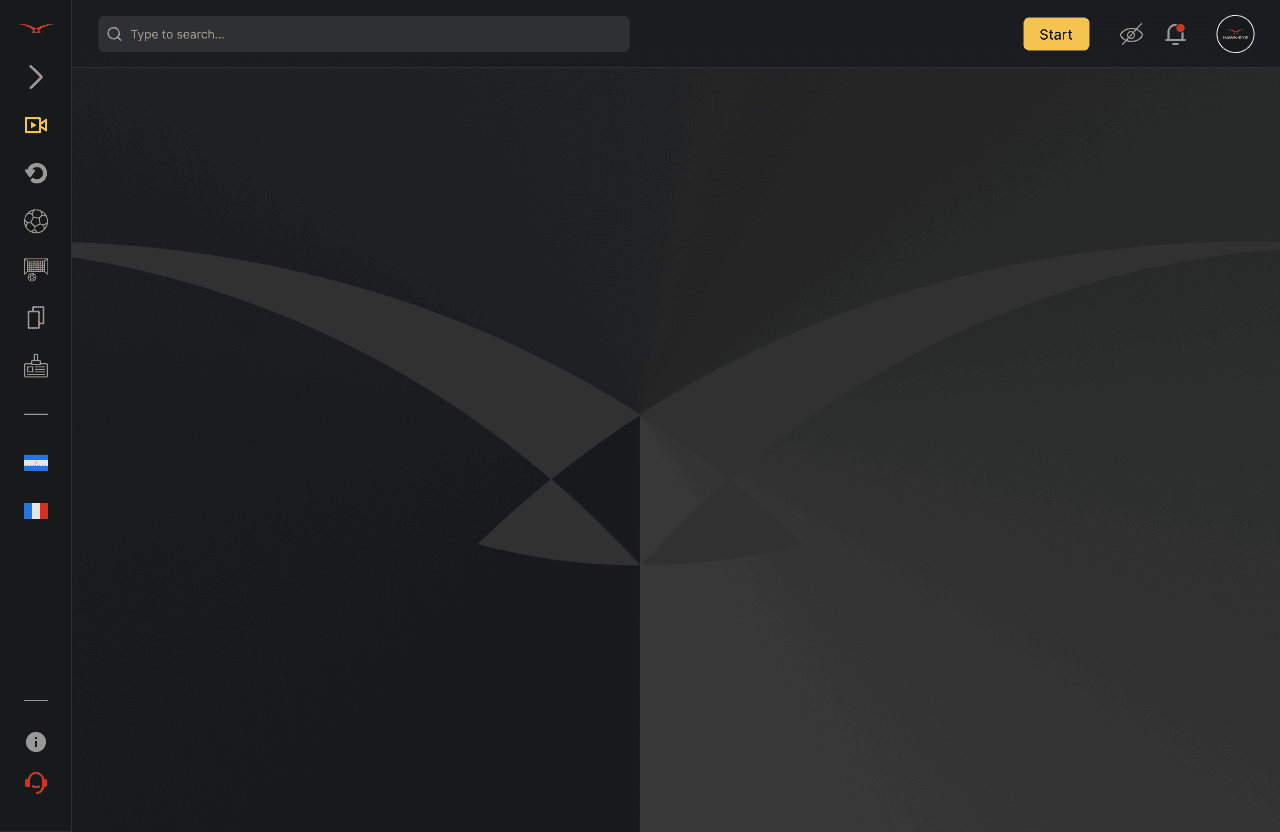
My design for the application features a clean and modern system with easy-to-use controls that allow operators to quickly select the incident type, player of interest, and relevant camera angle.

Please watch this video before moving forward to the details down below.

The screens and functions

The main screen displays up to 12 camera angles, with each screen being resizable via a click and drag feature. Double-clicking or double-tapping on a screen will toggle it into full-screen mode.
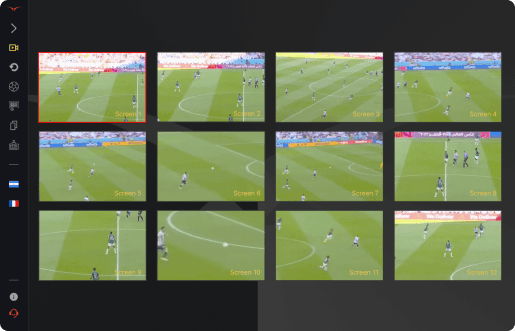
Click and drag size option:

Double-clicking or double-tapping on a screen will toggle it into full-screen mode:


The sidebar menu is located at the left side of the screen where the operator can: select the type of incident; select the player of interest; select the communication control icon to easily listen to the VAR communicating with the officiating team without interrupting their other tasks.

The video player features easy-to-use playback controls, and is connected to the video when selected. This allows for easy selection and playback of relevant clips to create a suitable replay in the case of an overturned decision.

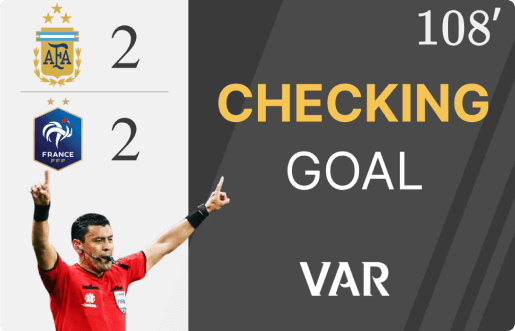
The stream icon is used to push updates to the stadium screen and broadcaster. To ensure the operator is ready, I added intentionally some friction by requiring a positive confirmation. After selecting from the pop-up, the relevant announcement screen is displayed. The operator can review replays, and the broadcasters can live stream the review process. The stop icon allows the operator to abort the stream, and a red recording light indicates if the stream is active. I would refine the icon and spacing for better usability if I had more time.

Information output is displayed in a clear and easy-to-understand format that includes text updates and relevant video clips, providing timely and accurate information to fans, commentators, and broadcasters.
Next steps

Testing
In this phase, with the high-fidelity prototypes we would test the VAR operators’ behaviour using Maze to validate the design and identify areas for improvement.

Refining and Iterating
Based on the feedback from VAR operators, we can refine and iterate the design. We need to ensure that the design meets the needs and goals of the target audience.

Final Design
Once we have refined and iterated the design, we can create the final design. The final design should be visually appealing, intuitive, and easy to use. It should also be consistent with the Hawk-Eye brand and the best practices in designing a VAR information feed service.

Please check the Figma Link

Access the file with the whole project and details as:

- User-flow
- Wireframes
- Components
- Styles
- Inspiration board...


Figma Link

Create a free website with Framer, the website builder loved by startups, designers and agencies.